

How to create a Meta Business account?
To use WhatsApp with Saysimple, you need a Meta Business account.
Meta requires this account to manage your WhatsApp Business API setup, including phone numbers, business verification, and user access. Saysimple connects to WhatsApp through Meta’s official platform and APIs.
This article explains what a Meta Business account is, why it’s required for WhatsApp, and what you need before creating one. No prior Meta experience is required.
What is a Meta Business account?
A Meta Business account is a business profile provided by Meta.
It allows businesses to:
Register and manage WhatsApp Business API phone numbers
Complete business verification
Assign user roles and permissions
Control which platforms (such as Saysimple) can access WhatsApp assets
Meta requires this setup for all WhatsApp Business API connections.
Why does Saysimple require a Meta Business account?
Saysimple connects to WhatsApp using Meta’s official APIs.
To do this securely, Meta requires:
A verified business entity
Clear ownership of WhatsApp phone numbers
Explicit permission management
Your Meta Business account acts as the authorization layer between Meta and Saysimple.
Without a Meta Business account, it is not possible to connect WhatsApp to Saysimple.
Business Suite vs Business Portfolio (important to understand)
Within a Meta Business account, Meta distinguishes between Business Suite and Business Portfolio. They serve different purposes.
Meta Business Suite
Business Suite is the workspace interface.
This is where you:
View basic business information
Access messaging and WhatsApp-related settings
Manage high-level account configuration
Most users interact with Business Suite during setup and day-to-day management.
Meta Business Portfolio
Business Portfolio is the underlying structure behind the scenes.
This is where Meta:
Organizes business assets (such as WhatsApp Business Accounts and phone numbers)
Manages user roles and access rights
Controls which external platforms (like Saysimple) can manage your WhatsApp setup
You usually don’t need to interact with the Business Portfolio daily, but it is essential for permissions and setup.
In simple terms
Business Suite → where you access and manage WhatsApp
Business Portfolio → how ownership, structure, and access are defined
When you create a Meta Business account, both are created automatically.
You don’t need to choose between them. Meta handles this in the background.
What do you need before you start?
Before creating a Meta Business account, make sure you have:
A personal Facebook profile (required by Meta for identity verification)
Access to a business email address
Basic business information (company name, website, address)
Creating a Meta Business account:
does not make your business public
does not incur any costs
Do I need a Meta Business account if I only want WhatsApp?
Yes.
A Meta Business account is mandatory for using the WhatsApp Business API, even if:
WhatsApp is the only Meta product you use
You don’t use Facebook or Instagram
This is a technical requirement set by Meta.
Who should create the Meta Business account?
Because this account controls WhatsApp access, it should be created by someone who:
Is a business owner or administrator
Will remain with the company long-term
Avoid creating the account using a temporary employee or shared login.
How to register for Meta Business Suite
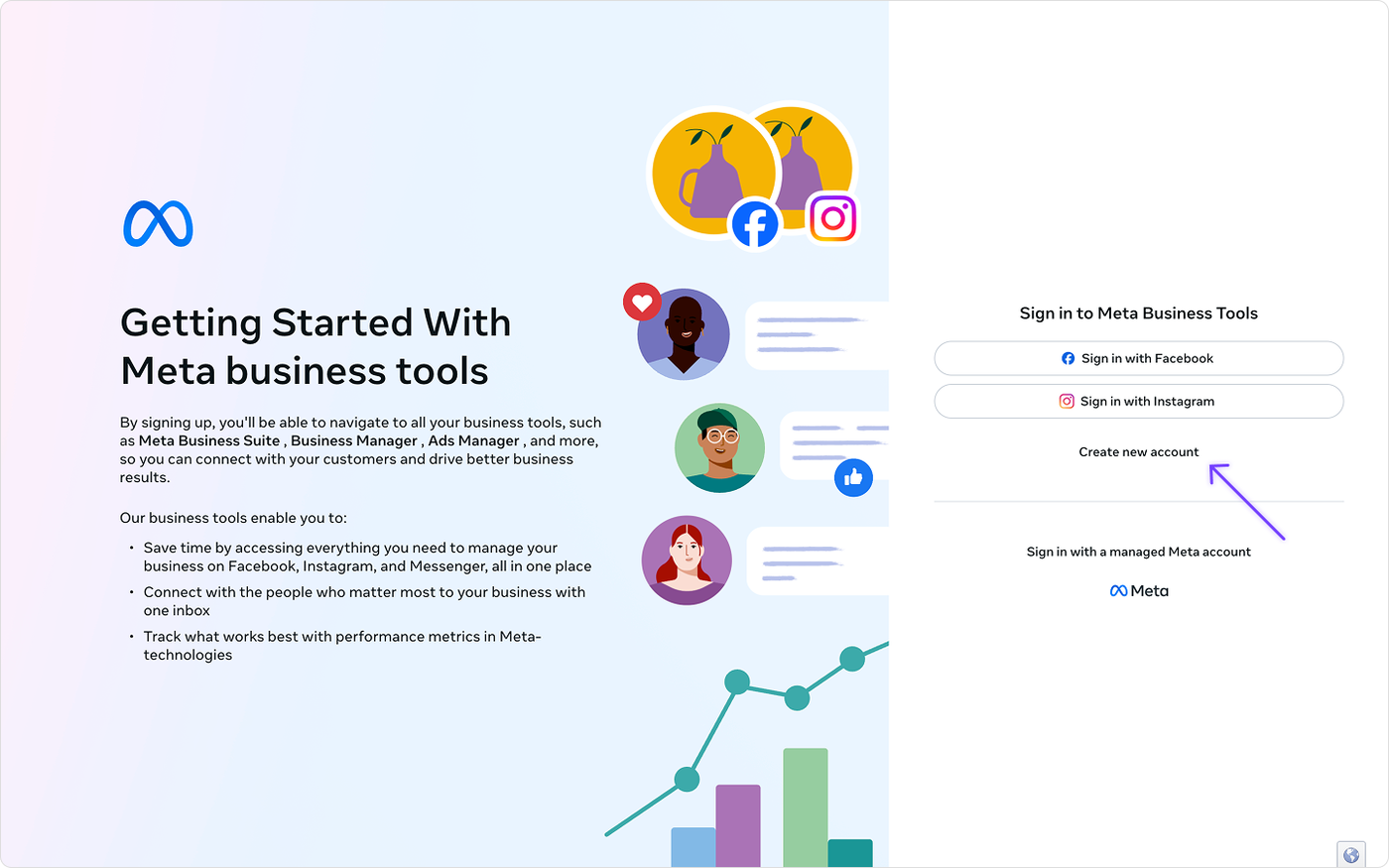
Navigate to Meta Business Suite: https://business.facebook.com/
Sign in to the Meta Business Suite with your Facebook profile or create a new account.
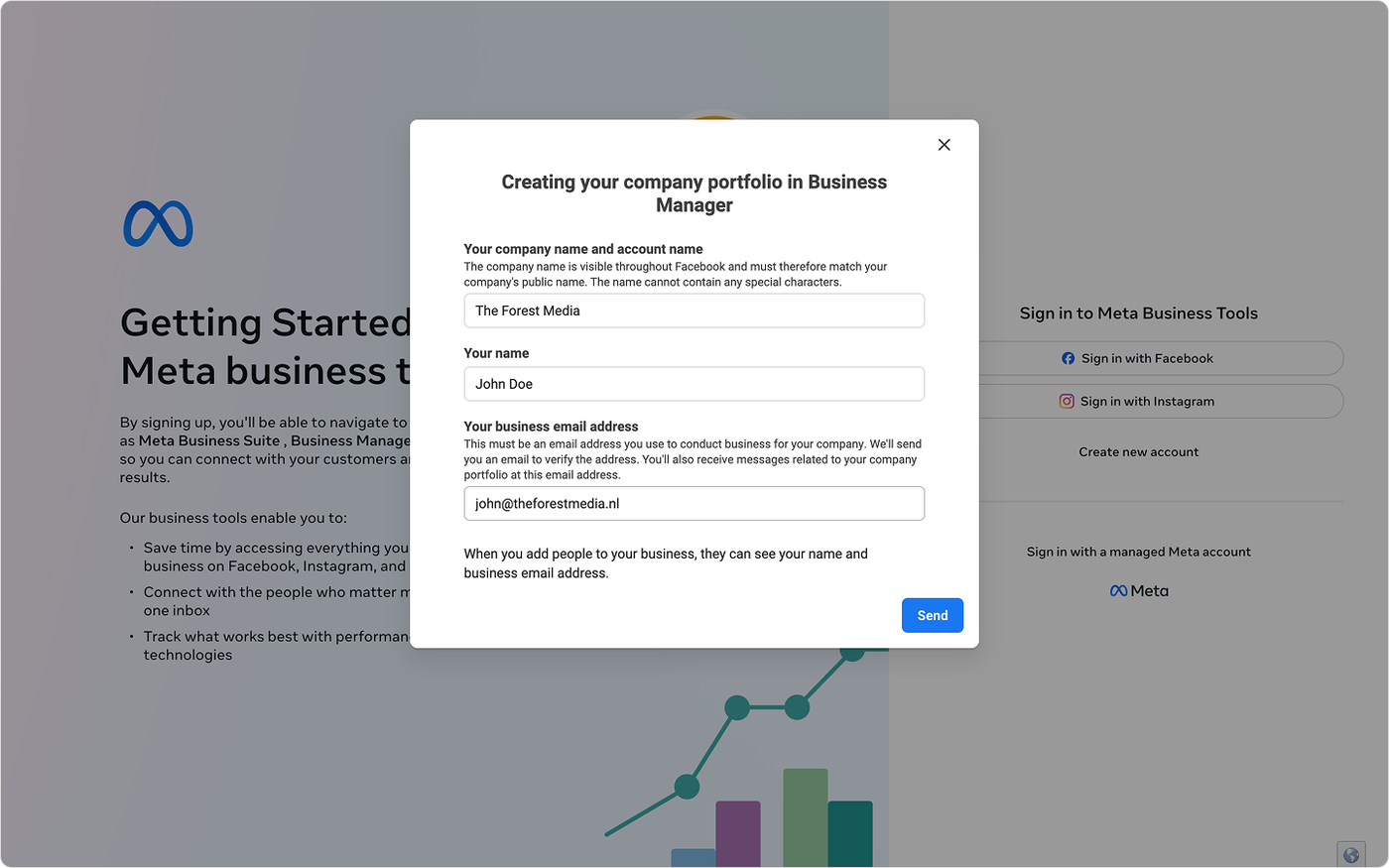
Enter the following details to create your company portfolio in Business Manager: Company name, Account name and business email. (You can change this details later)
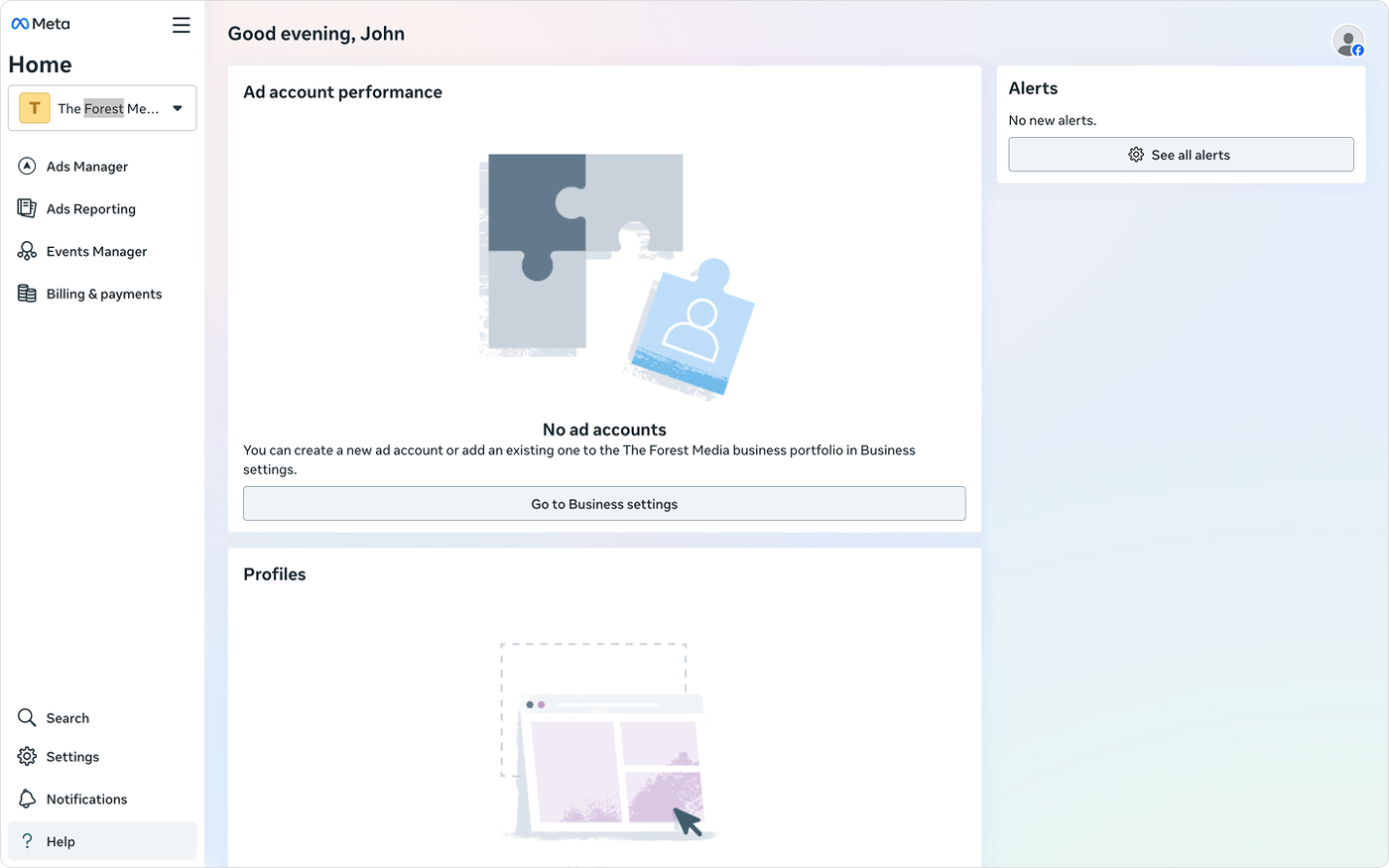
After filling in the form, your Meta Business account will be created, and it will redirect you to the Meta Business Suite. Here you can manage it.
What’s next?
Once your Meta Business account is all set up, continue with:
Get started: Connect the WhatsApp Business API
This explains how to connect your Meta setup to Saysimple and start sending and receiving WhatsApp messages.